Inside Doofinder’s admin, a Home page will welcome you when opening the panel.
This front page aims to keep you up to date with Doofinder’s stats, and the latest news about our products, so you will always know about the benefits of Doofinder and how to get the most out of it.
If you are in another section of the Admin Panel and want to return to the home page, simply navigate to the left-side menu and click on the “Home” section, marked with the house icon.
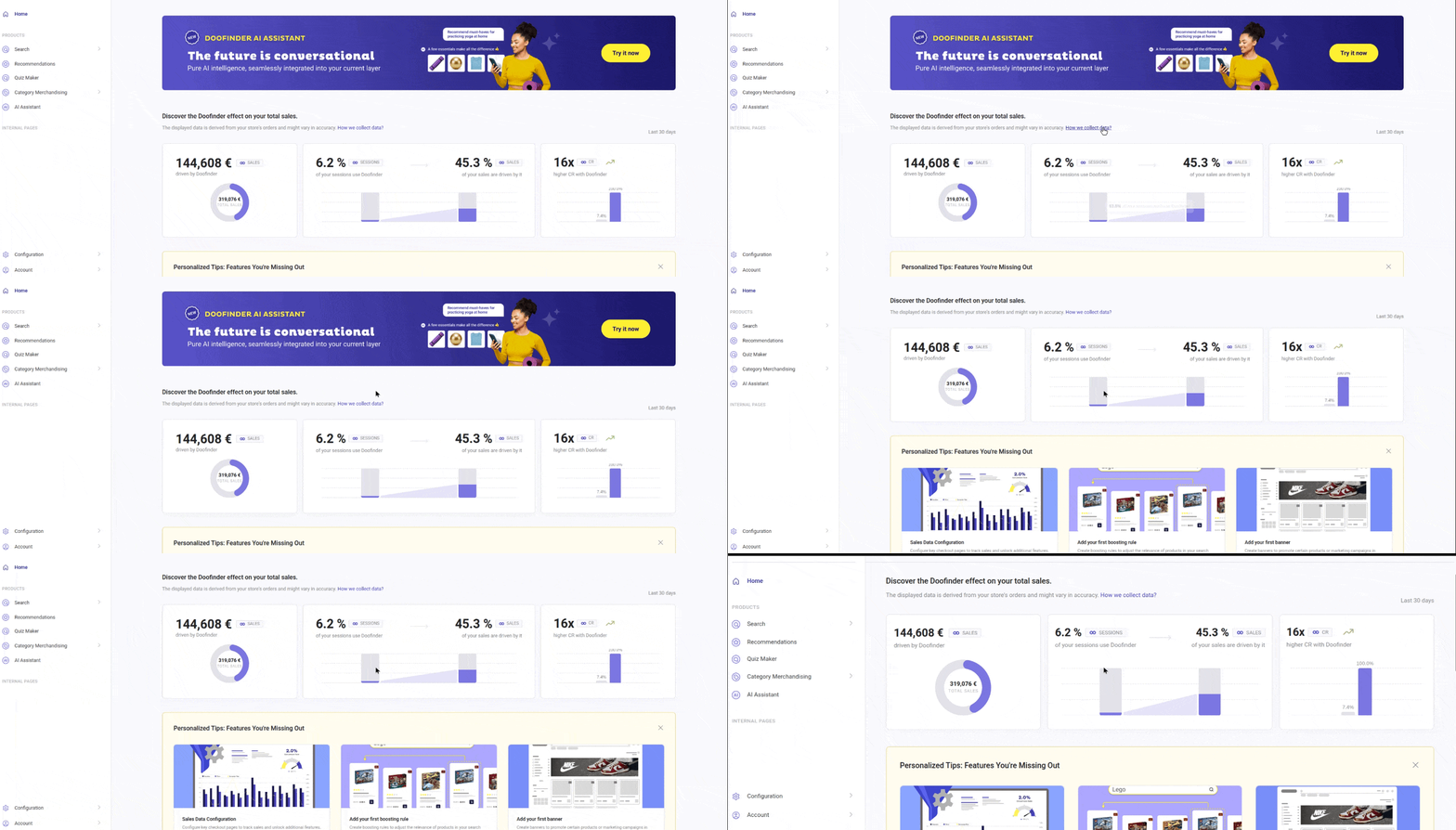
This is what you will find in the Home page:
Store Stats: Discover the Doofinder effect on your total sales
Quickly see how much of your store’s sales (across all Search Engines) were influenced by Doofinder.
Keep reading for details on each stats chart, or hover over the metrics to see tooltips that further explain the data.
These graphs are available only for users with Single Script. To enjoy this feature, update your script.

For the data to be displayed, the Sales Data configuration must be set up correctly.
1. Total Sales Driven by Doofinder
This chart shows how much revenue is generated from sessions where users interact with any Doofinder product.
What are the Doofinder sessions? The number of visits (sessions) to your online store that interact with a Doofinder product feature.
Doofinder-driven sales
The first data on the chart is the total value of all purchased products on your web and the total from orders made during sessions interacting with Doofinder.
How do we define an interaction with Doofinder during a session?
- Search: an interaction occurs when a customer performs a search or clicks on a result.
- AI Assistant: the total amount of confirmed orders during a session interacting with Doofinder.
- Recommendations: an interaction occurs when a customer clicks on a product displayed in a Recommendations carousel.
- Category Merchandising: the user clicks on a product from a category page and later purchases it.
- Quiz Maker: an interaction occurs when a customer completes a quiz.
All data covers the last 30 days and is displayed in the default currency.
Store total sales
In the same graphic, you can see the total value of all purchased items across the entire store, helping you understand how much of your total revenue is driven by Doofinder.
The Store total value represents the amount before adding fees or adjustments like taxes, shipping, discounts or returns.
2. What Percentage of Traffic Equates to the Percentage of Sales from Doofinder?
On the second chart, you will see a comparison of Doofinder’s share of traffic with its share of sales, allowing you to understand whether the products are contributing to sales proportionally to its usage.
A session interaction can include:
- Search: if a search or click is made during a session.
- AI Assistant: the search or click during the session.
- Recommendations: if clicked on a product in any recommendation carousel.
- Quiz: when a quiz is completed during the session.
- Category Merchandising: the visit to a category page with product interaction.
Store sessions are the total number of sessions in the store, regardless of whether Doofinder was used. Here we aim to contrast that information with the session's interaction with our features.
3. Conversion Rate: With & Without Doofinder
This chart compares how well sessions converted into revenue depending on whether users interact with Doofinder.
Store Conversion Rate With Doofinder:
Doofinder Conversion Rate (CR): represents the percentage of sessions where customers interacted with Doofinder and ended up making a purchase.
Store Conversion Rate Without Doofinder:
Here you can see the percentage of sessions without using Doofinder products, but has resulted in a purchase.
This comparison helps measure Doofinder’s impact on conversion.
All values are displayed using the currency configured in General Settings > Sales Data.
If you want to change the currency, follow the steps of the FAQ: How can I change the weekly reports currency?
Quick Reference Charts Information
| Metric | Shows | Information on Hover |
|---|---|---|
| Doofinder Driven Sales | Total revenue generated from sessions with Doofinder interaction | Total value of purchased items from orders made during sessions where users interacted with Doofinder (Search, AI Assistant, Recommendations, Category Merchandising, or Quiz). |
| Store Total Sales | Total store revenue | Total value of all purchased items before taxes, shipping, discounts, or returns. |
| % Sales from Doofinder | Share of total sales driven by Doofinder | Percentage of total store sales generated from sessions with Doofinder interaction. |
| % Sales without Doofinder | Share of sales without Doofinder | Percentage of total store sales generated from sessions without Doofinder interaction. |
| Doofinder Sessions | Traffic interacting with Doofinder | Number of sessions where users interacted with Doofinder. |
| Store Sessions | Total store traffic | Total number of sessions in the store, regardless of Doofinder usage. |
| % Traffic with Doofinder | Share of traffic using Doofinder | Percentage of sessions that include interaction with Doofinder. |
| % Traffic without Doofinder | Share of traffic without Doofinder | Percentage of sessions without any Doofinder interaction. |
| Conversion Rate with Doofinder | Conversion rate with Doofinder | Percentage of Doofinder sessions that resulted in a purchase. |
| Conversion Rate without Doofinder | Conversion rate without Doofinder | Percentage of non-Doofinder sessions that resulted in a purchase. |
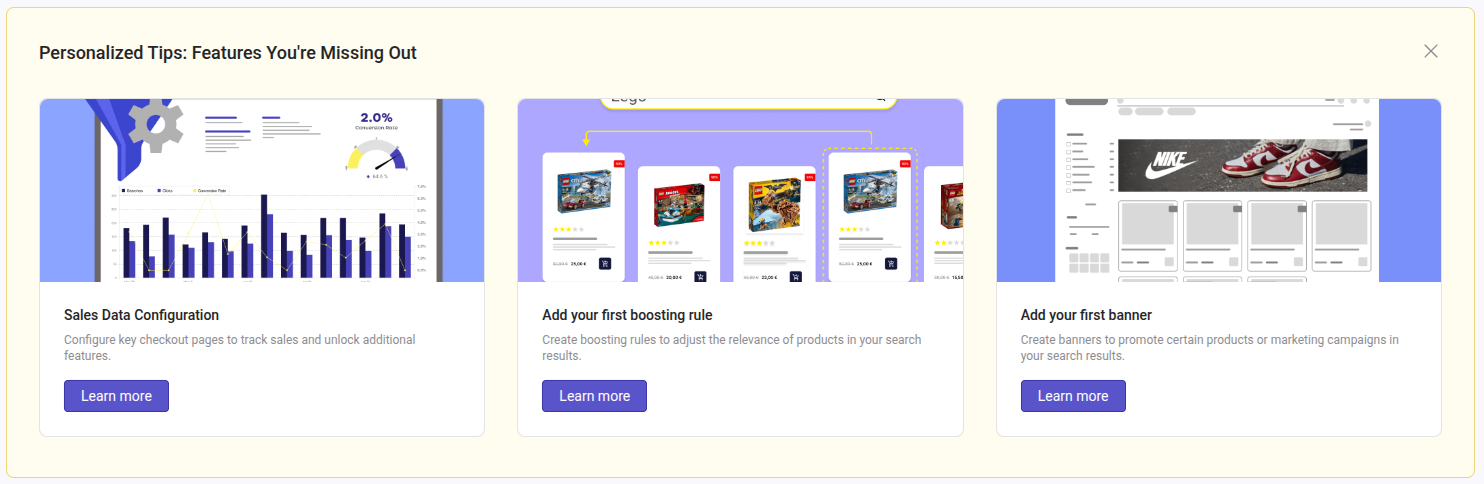
Personalized Tips
Doofinder's Assistant will recommend features included in your plan that you haven’t yet activated in any of your stores, providing suggestions to enhance your eCommerce experience and drive sales growth.
At the bottom of each card, you will find a button linking to our Support documentation, where you can learn how to set up the feature.
This section will not appear if you are already using the features suggested by Doofinder’s Assistant.
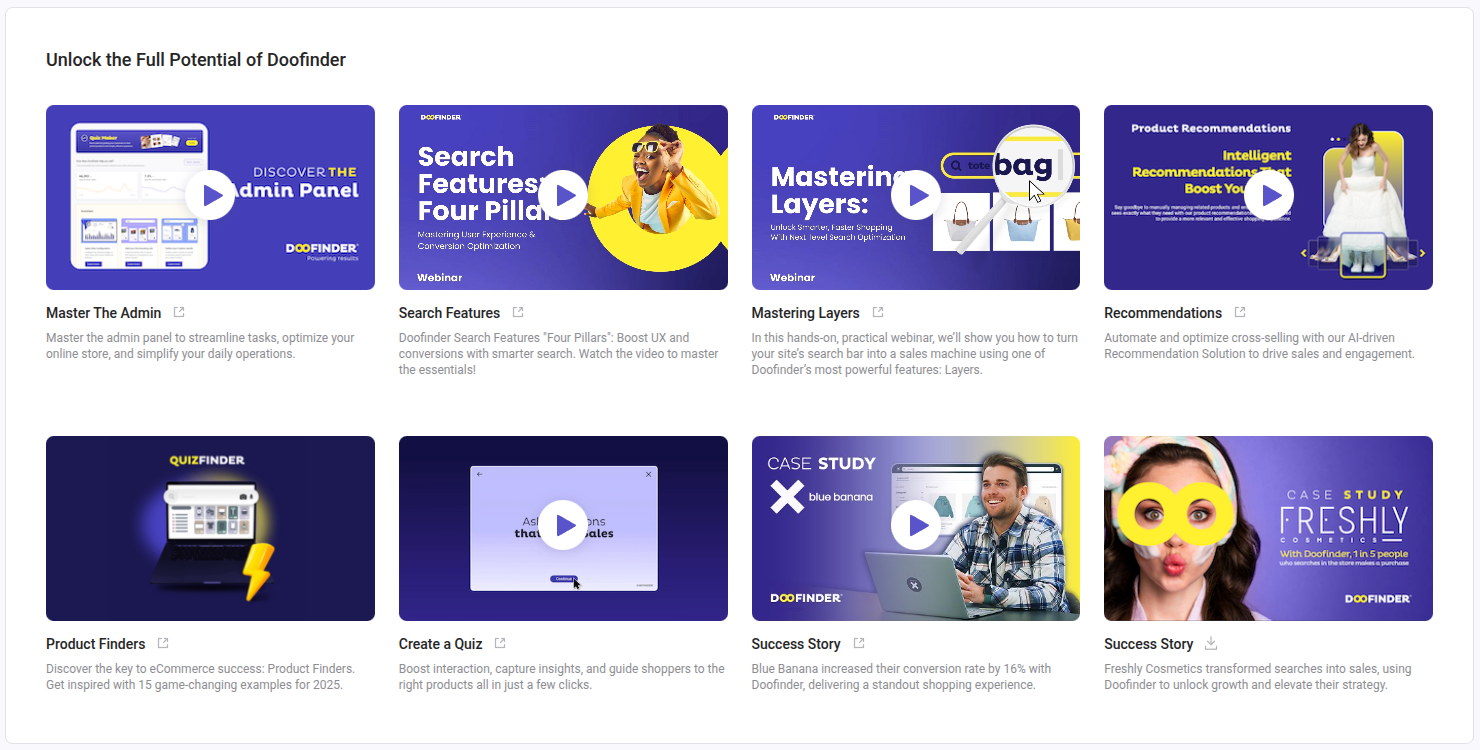
Resources and Success Stories: Unlock the Full Potential of Doofinder
In this section, you'll find the latest announcements from Doofinder, including new products, blog posts with tips to enhance your eCommerce, and case studies showcasing how Doofinder can boost your sales.
Click on any image to access the videos or blog posts directly, or download PDF case studies.