


Start by Checking the App Permissions
Shopify updates the Doofinder app on its own, but new features can need data access your store has not granted yet. When that happens both admins warn you. The Doofinder Admin Panel shows “The Doofinder app has been updated. To continue using all features you must update data access.” under Configuration > General settings > Shopify, with an Update data access button, and your Shopify admin shows its own permission request. Grant the access in either one, then try again.
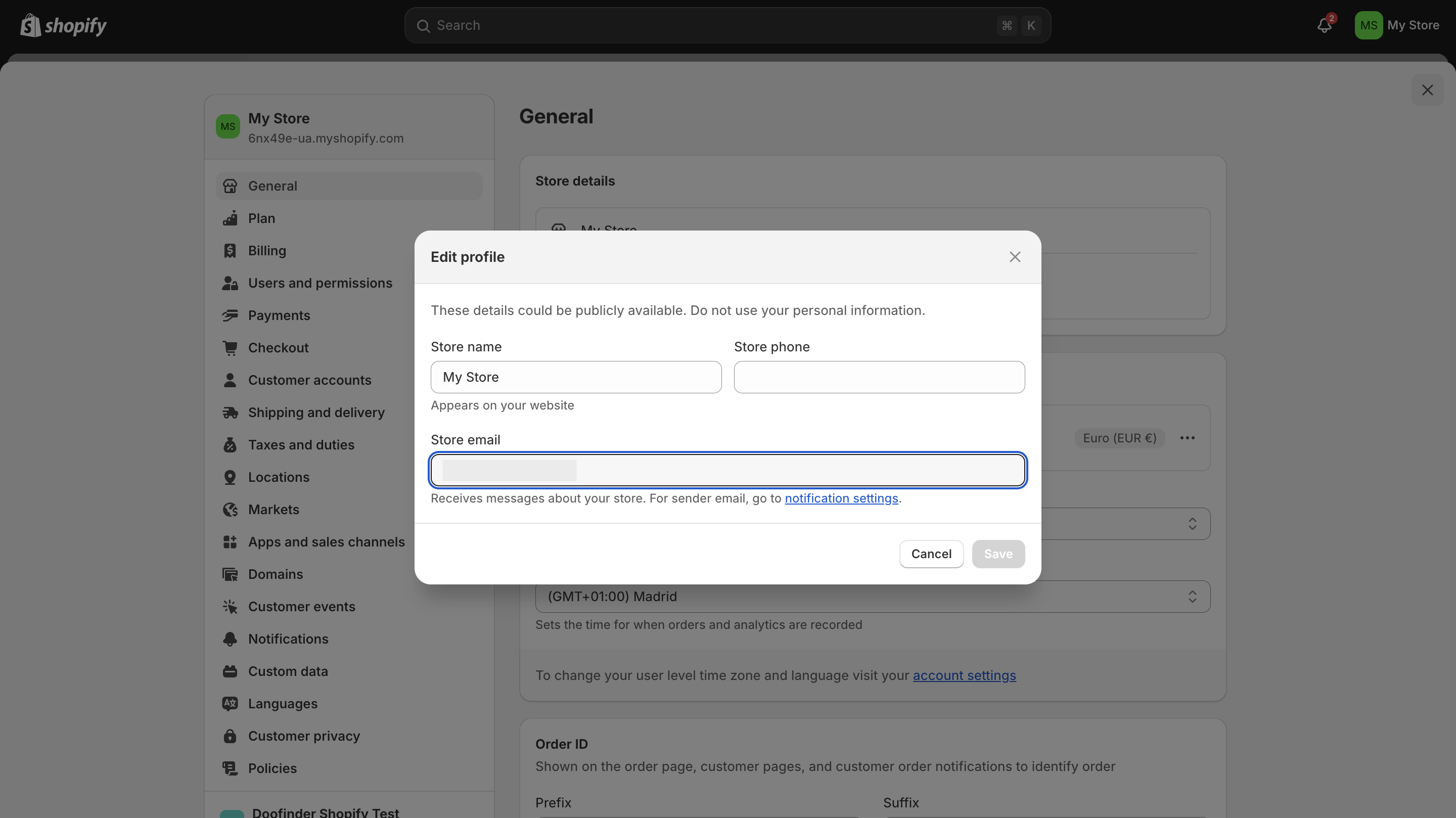
Due to a recent security update, you can experience some trouble logging in to your Doofinder account through the Shopify Admin. That is because your Doofinder email address doesn't match the one configured on your Shopify store.
To change your email, follow these steps:
- Check your email on Shopify to make it match on Doofinder.
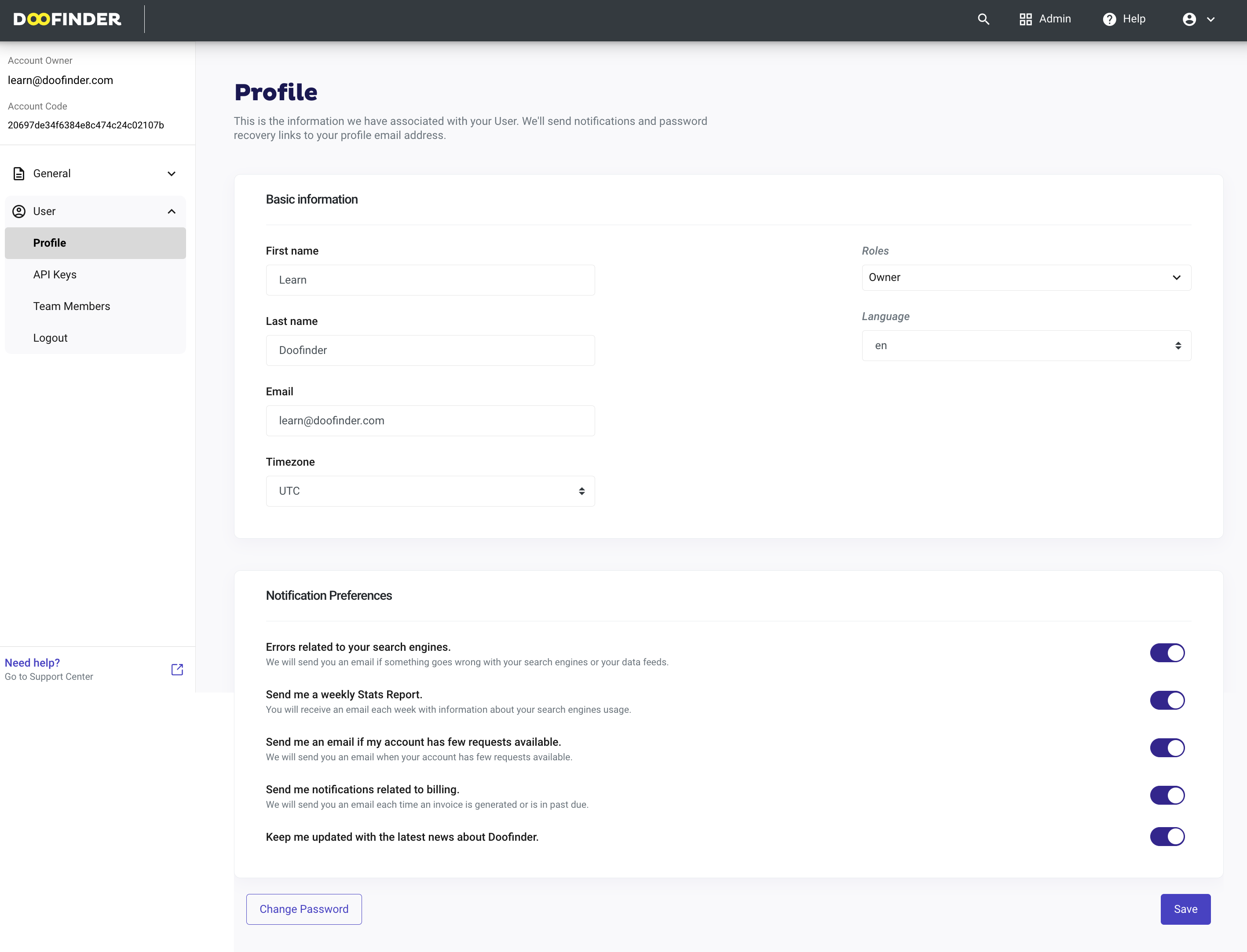
- Go to your Doofinder Admin Panel click on Account on the top-right blue bar > User > Profile and check your email.
- Make sure this email matches your Shopify's. If it doesn't, change it and click on "Save".
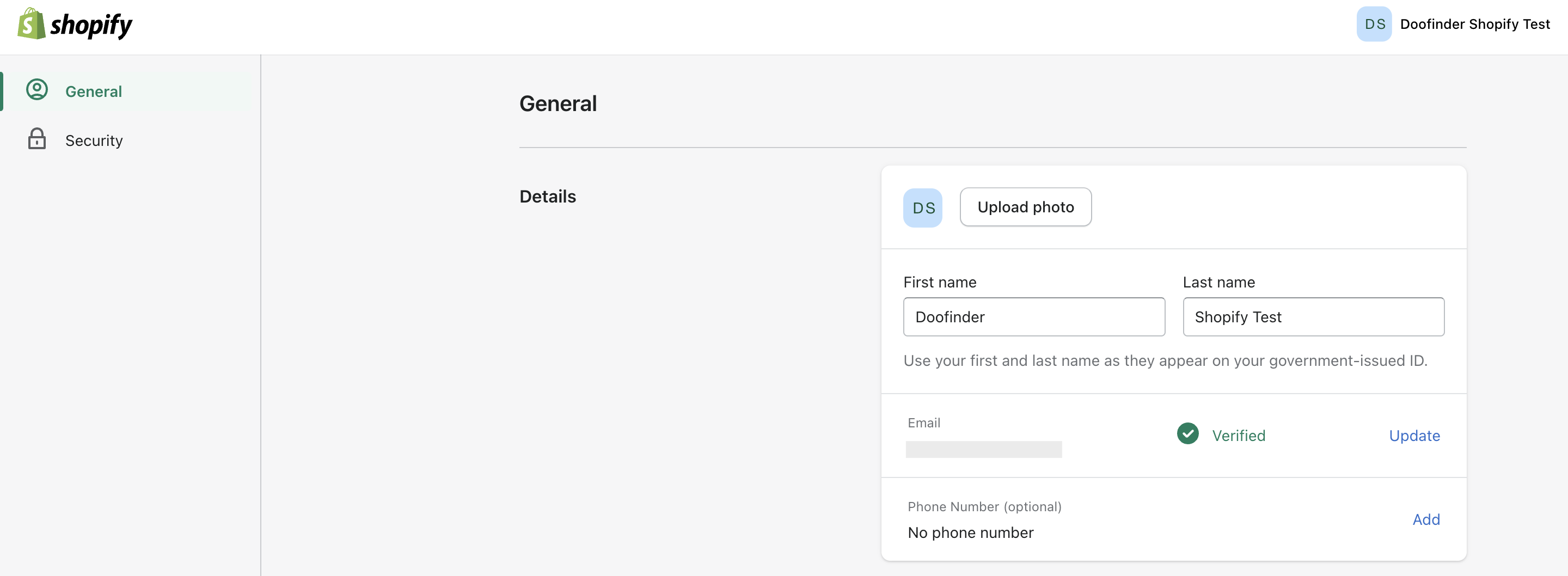
- Lastly, make sure that the email used in Shopify is verified.
Learn more about Profile on this documentation.
If you are trying to access through a staff account, please note that your staff email should be associated to your Doofinder account, using the Team Members functionality.
Note that only the owner of the Doofinder account can add a team member to the account.
If your Shopify store email has changed and you no longer have access to your Doofinder account, send a screenshot to Support. Send your Shopify Store information with email visible. With that the Support Team can verify your identity and update your email within Doofinder.
How to Fix the Doofinder Login Error From Shopify
When facing the error below, it’s most likely because the email you're using to login into Shopify doesn't have access to the Doofinder account linked to your Shopify store.
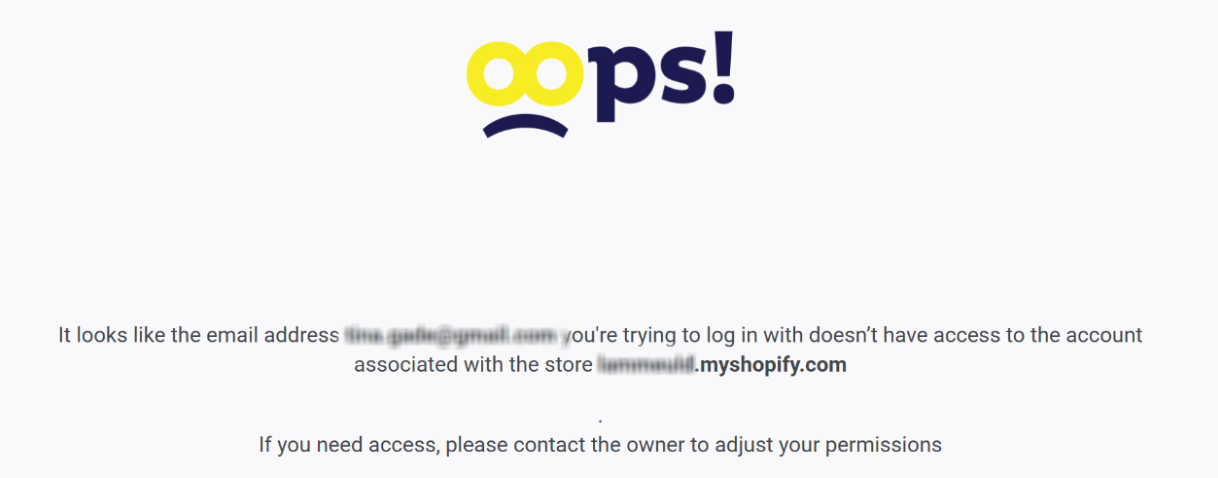
For example, you might log in to Shopify as a collaborator instead of the store owner, however, as long as that same email address is also added in Doofinder as either an Owner or a Team Member, the integration should go smoothly.
See here more info about the Team Management section in Doofinder.