


Start by Updating the Module
Make sure you are running the latest version of the module before going through the checks below. Settings have moved out of the module and into the Doofinder Admin Panel, so an outdated module does not behave as this article describes.
See the How Do I Update The Module? section of Installation Steps - PrestaShop.
Depending on the version of the module, the security hash may be missing or outdated, and when this happens indexing fails.
In the Doofinder Admin Panel the indexing error reads like this:
Your server is forbidding access to your feed. Please check file access and feed URL - [products][URL]
If you open the feed URL directly in your browser, the module answers with a different message, which points at the same cause:
Forbidden access. Maybe security token missed. Please check on your doofinder module configuration page the new URL for your feed
Depending on your server, this can reach you as a 403, or as a 500, 504 or 524 when the feed takes long to answer. In any of those cases, it is worth checking that the feed URL stored in Doofinder is the current one.
When the URL of your feed is not the current one in the Indices of Doofinder, it can also cause errors such as price mismatch, products missing, or a lack of updates on the Doofinder side. In any of those cases the URL has to be corrected.
How you do that depends on how your store was set up, so check which of the two cases is yours before going further.
If You Installed Doofinder With the Module
This is the usual case. The data source was created by the module, and its URL is kept up to date automatically: when you update the module, the stored URL is updated with it, and there is nothing for you to do.
For that same reason, the URL of this data source cannot be edited from the Doofinder Admin Panel. If your feed stopped indexing right after a module update, and the stored URL is the one at fault, that is something we have to correct on our side.
Before assuming that is the problem, two checks worth doing yourself:
- Confirm you are on the latest version of the module, since an outdated one can fail for reasons already fixed.
- Open the feed URL shown in the module in your browser. If it answers with your products, the feed is being generated correctly from your side.
That check tells you the feed works for you, not that it works for us. A firewall, a CDN or a security rule on your hosting can serve the feed to your browser and still block our requests, so a feed that opens fine for you can still fail to index.
If You Set Up the Store Manually
If you created the store in the Doofinder Admin Panel yourself, choosing File Feed and entering the URL by hand, then the data source is yours and you can edit it.
Go to your Prestashop Admin > Module Manager > Doofinder > Store tab and copy the corresponding feed URL:
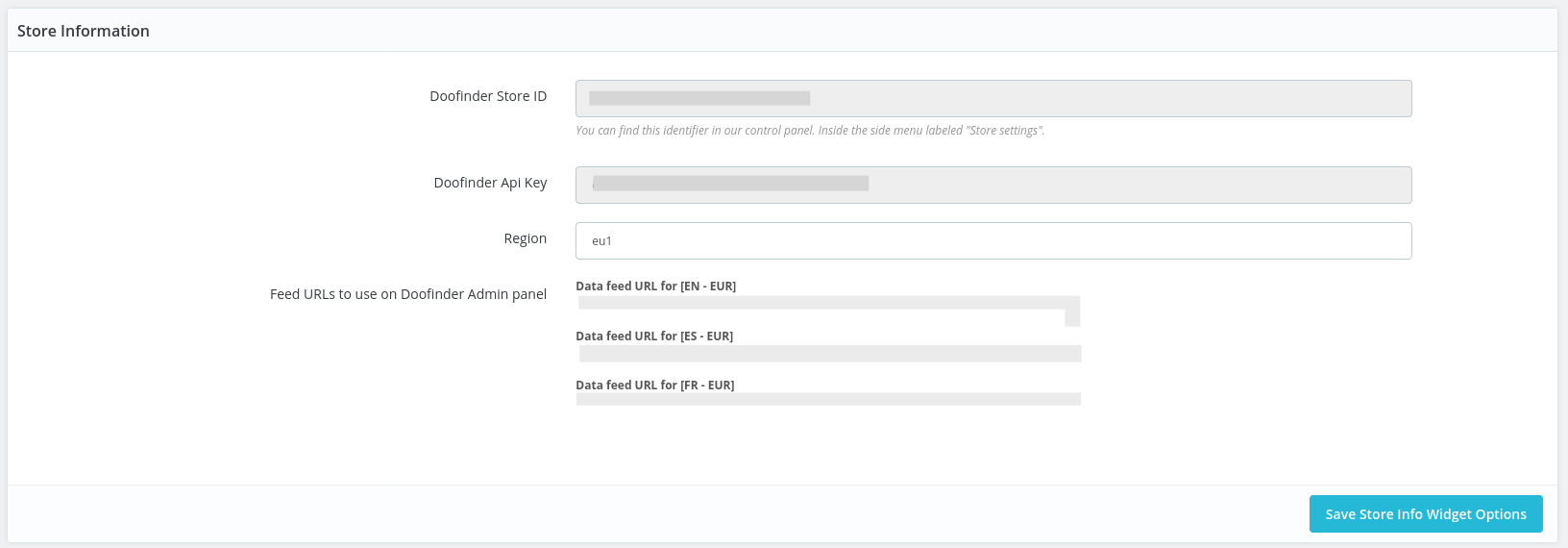
Paste the feed URL in your Doofinder Admin Panel > Configuration > Search Engines > click on "See indices" > Indices.
Finally, reindex the feed by selecting the "Process Now" button, as you can see in the picture below:
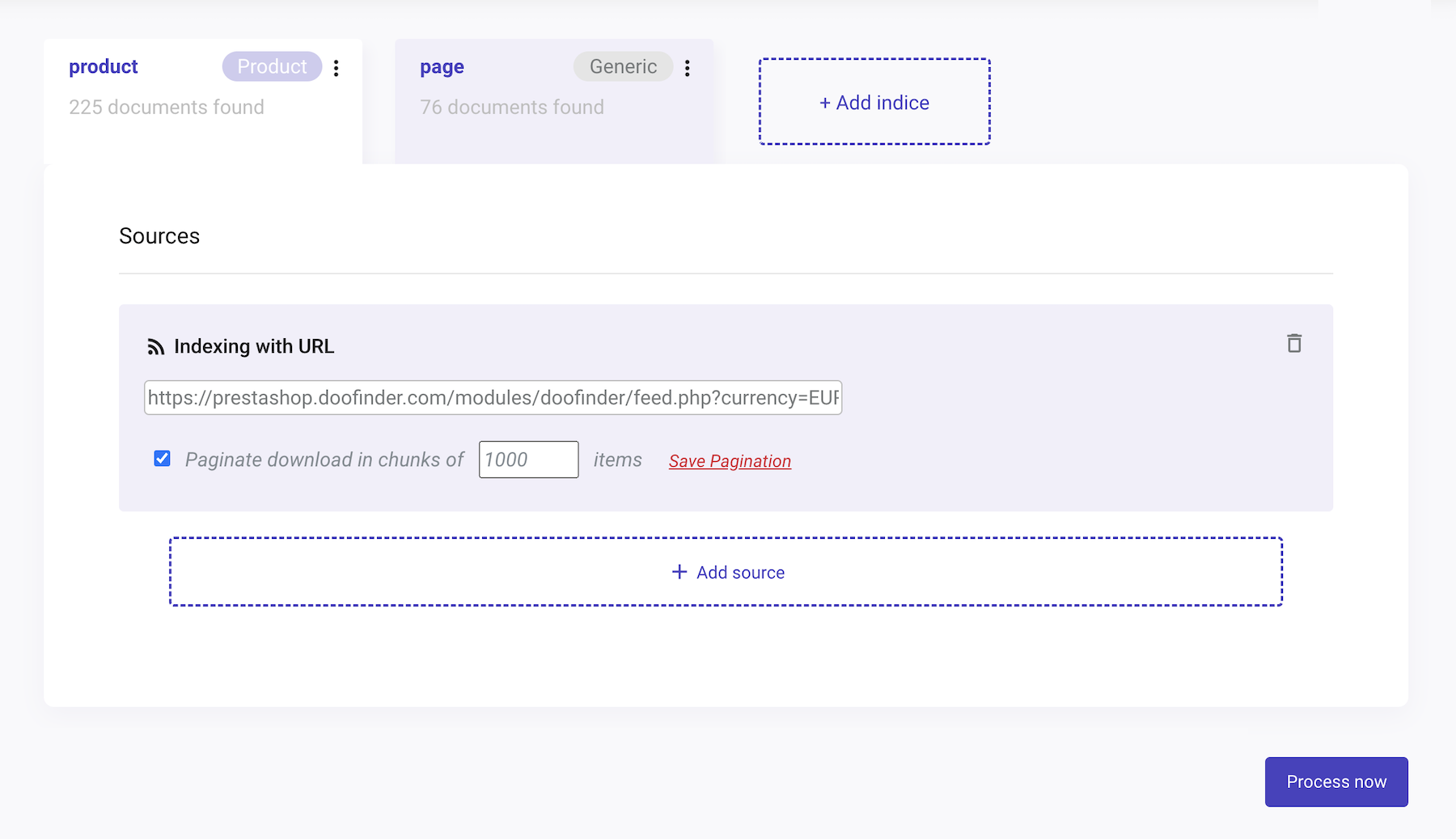
After that, the error should be fixed and any pending updates will come through.
Indexing Fails on a Large Catalogue
If your store has a large catalogue, the feed can take too long to generate and the request may time out before it finishes. This usually shows up as a server error during indexing, often 500, 504 or 524, and the bigger the catalogue the more likely it is.
Feed pagination often helps here. It makes Doofinder download the feed in smaller pieces instead of asking for the whole catalogue in a single request, and the PrestaShop module supports it. Read Paginated Data Feed to set the limit, and lower it if the requests still time out.
Pagination reduces the size of each request, but it cannot compensate for a server that struggles to generate the feed at all. If the timeouts continue with a small limit, the next thing to review is your hosting: PHP execution time and memory limits, and how loaded the server is while the feed is being generated.
You might find it interesting to read about Wrong Prices in Search Results and Product Not Showing Up documentations.