


Start by Updating the Module
Make sure you are running the latest version of the module before going through the checks below. Settings have moved out of the module and into the Doofinder Admin Panel, so an outdated module does not behave as this article describes.
See the How Do I Update The Module? section of Installation Steps - PrestaShop.
If your images are not showing correctly, it can be due to one of the following reasons:
- The product image size is not selected.
- Products don't have an image marked as cover.
Select Image Size
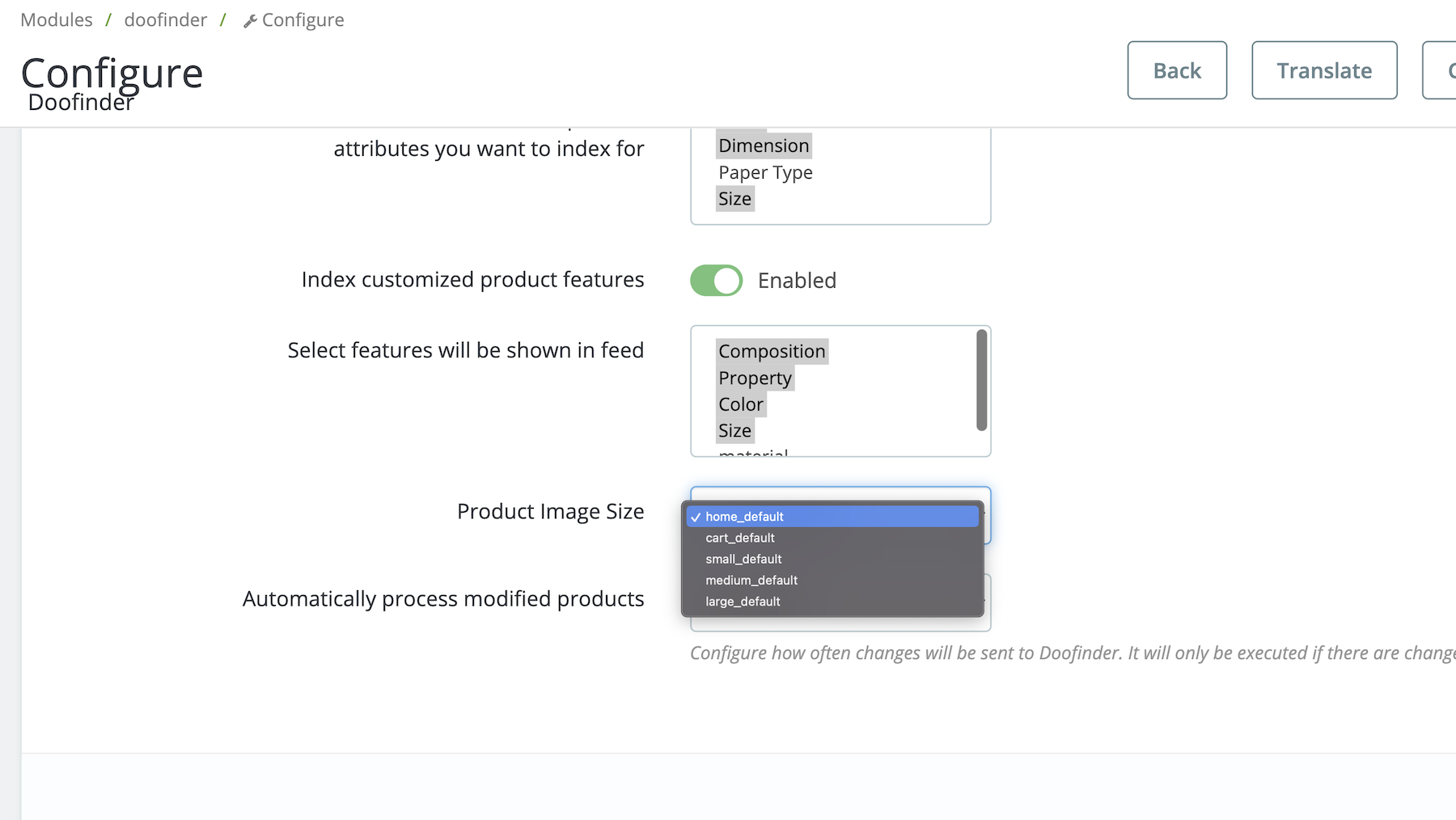
The images are generated from the size selected in the module configuration, for example: large_default. You will have these options (or more) available to select the product image size:
- cart_default
- home_default
- large_default
- medium_default
- small_default
PrestaShop 9 adds more sizes to that list, such as default_xl, default_lg, default_md, default_sm, default_xs, product_main and product_main_2x. The exact list depends on your version and on the image types defined in your store, so use the ones your module offers.
It is important to choose a size that contains all images in order to be indexed correctly. To do so, go to the plugin configuration in your Prestashop Admin, Store tab > Data Feed Section.
Select Image As Cover
Make sure that all products have an image marked as "Cover Image". If a product has no image marked as cover, the feed sends no main image at all for that product: the image field comes out empty, and the product is indexed without an image. The additional images of the product are still sent, in the images_links field.
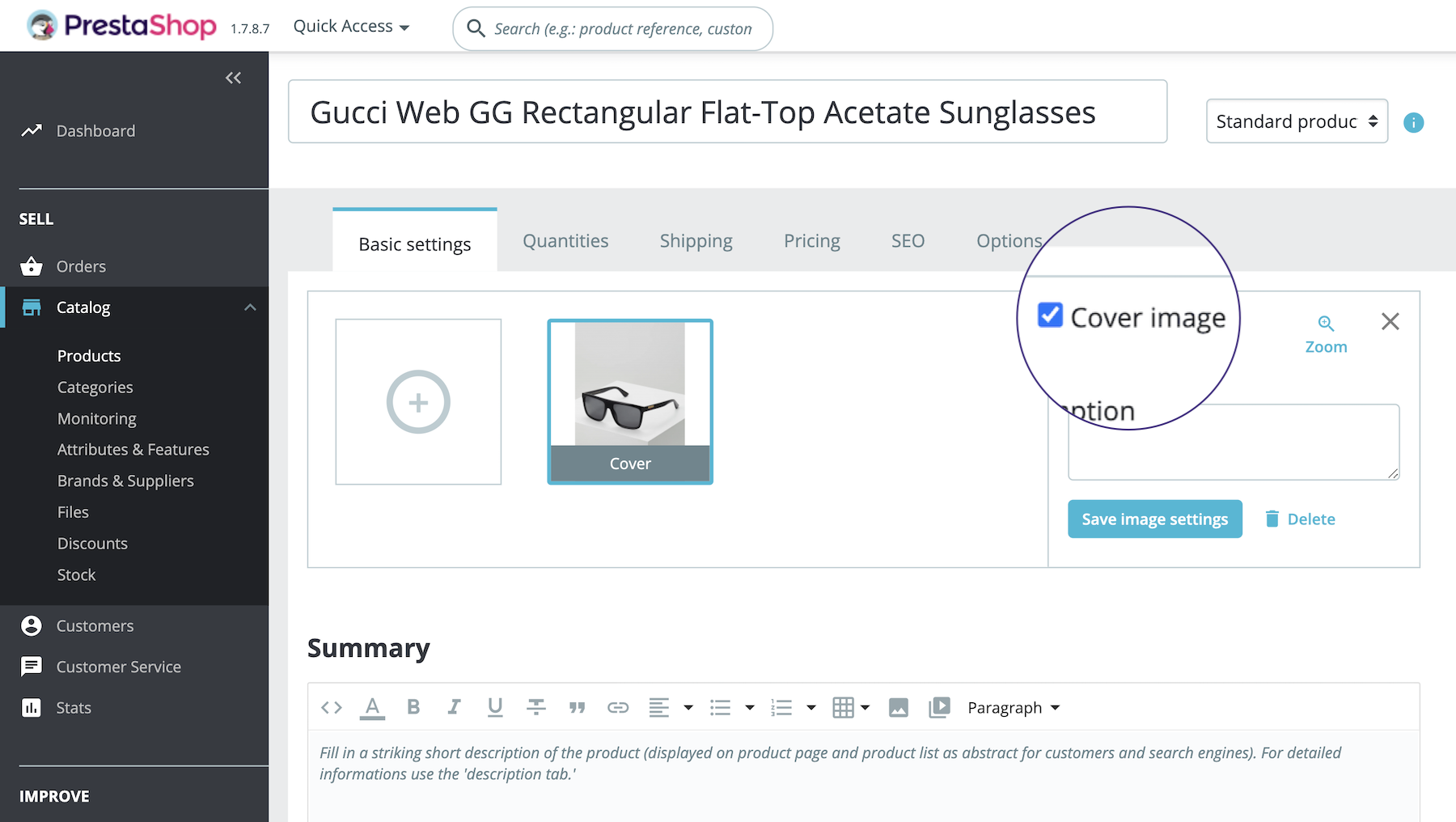
Image URL
A correct image URL, including ID and size, would be: https://doofashion.com/1023-large_default/black-shirt-.jpg
Once you have verified your images are OK, re-index the feed manually in the Admin Panel > Configuration > Indices > Process Now.