Start by Checking the App Permissions
Shopify updates the Doofinder app on its own, but new features can need data access your store has not granted yet. When that happens both admins warn you. The Doofinder Admin Panel shows “The Doofinder app has been updated. To continue using all features you must update data access.” under Configuration > General settings > Shopify, with an Update data access button, and your Shopify admin shows its own permission request. Grant the access in either one, then try again.
Some Shopify stores use the same type of text in the carousel/header. When the site uses a Live Layer, the header may not work correctly, and display the text vertically instead of horizontally, pushing down the rest of the site.

How to avoid this glitch
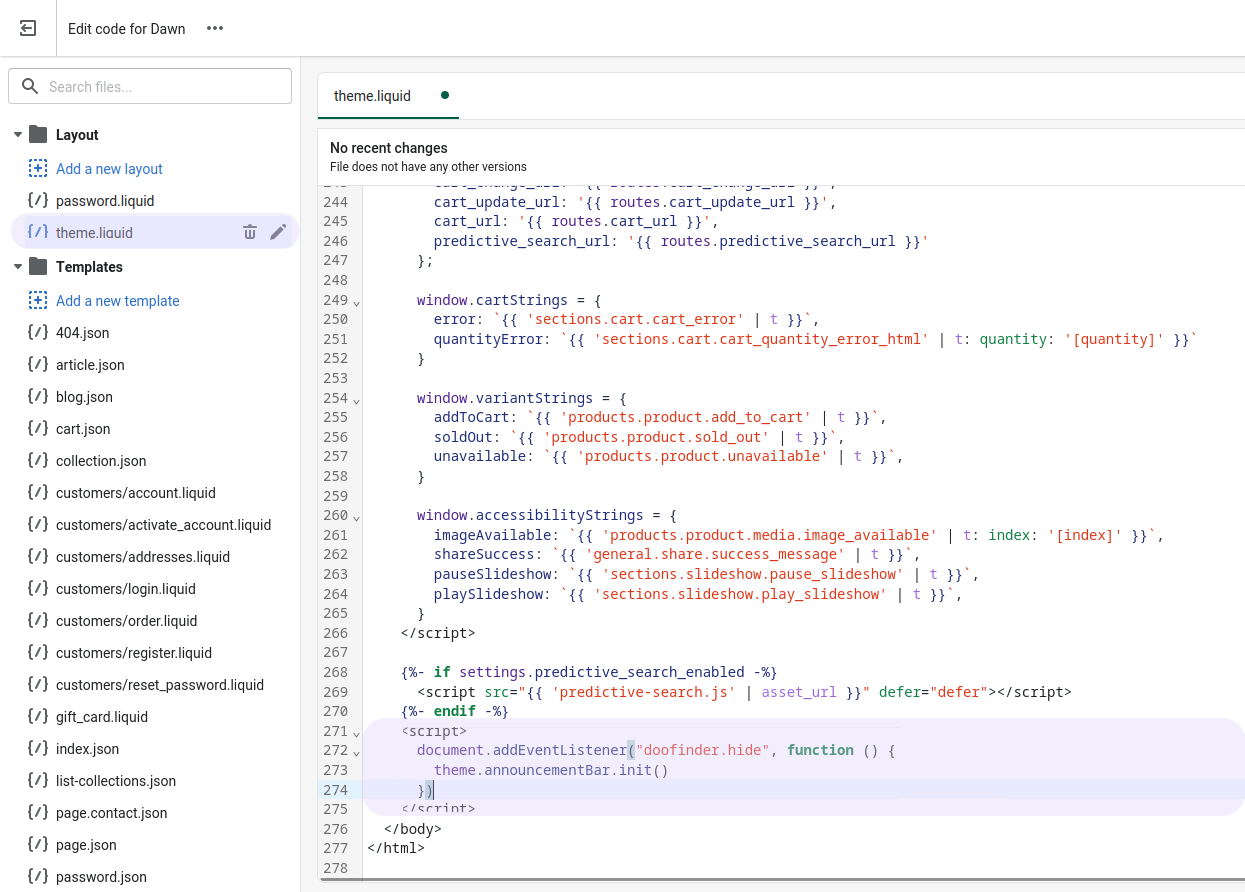
To avoid this glitch, you need to insert the following script in your shopify theme:
<script>
  document.addEventListener("doofinder.hide", function () {
    theme.announcementBar.init()
  })
</script>
In your Shopify admin panel
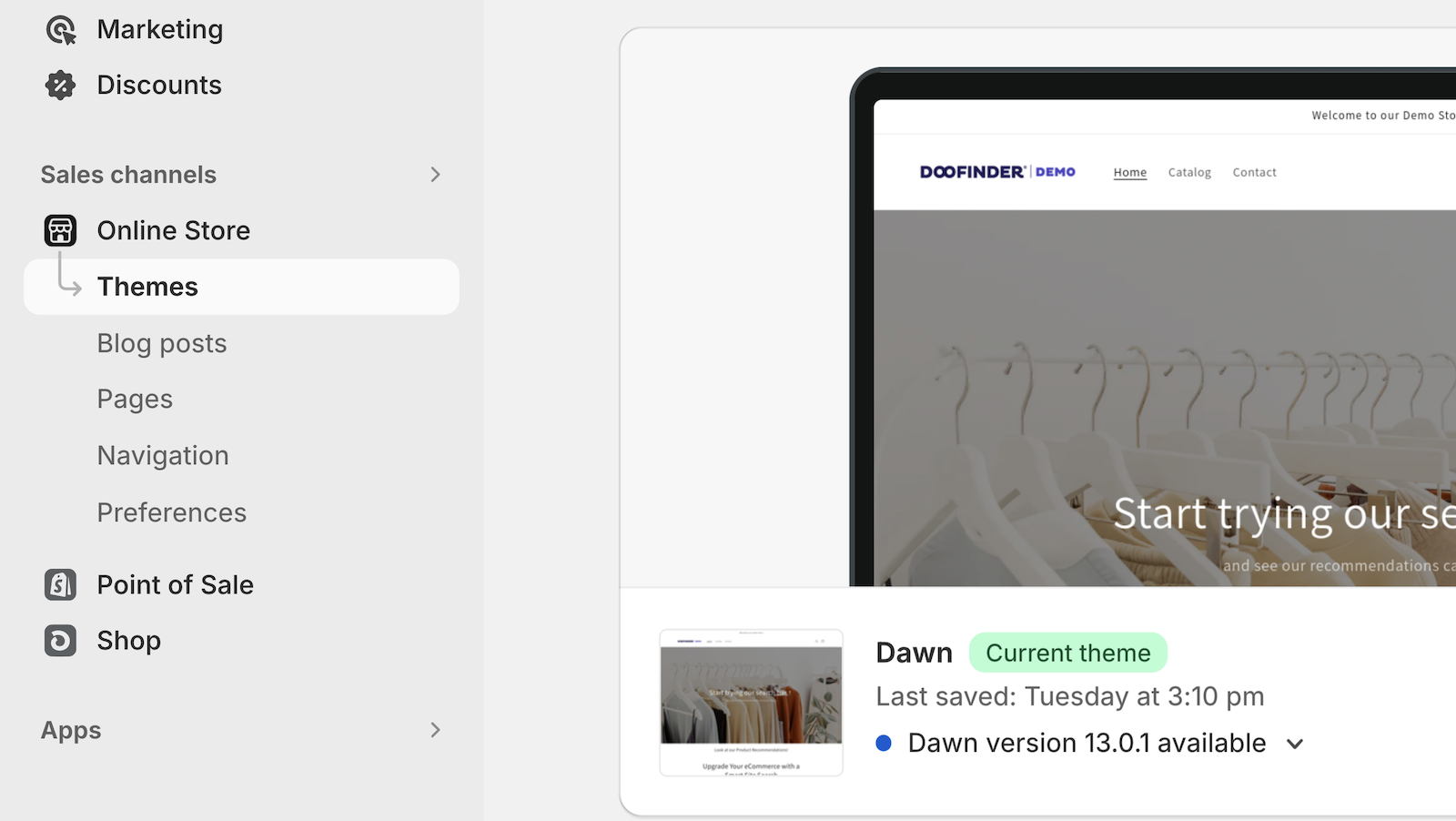
- Go to Online Store and click on Theme.
- In the Actions dropdown menu, select the option Edit code.
- Now, insert the script at the end of the theme layout.
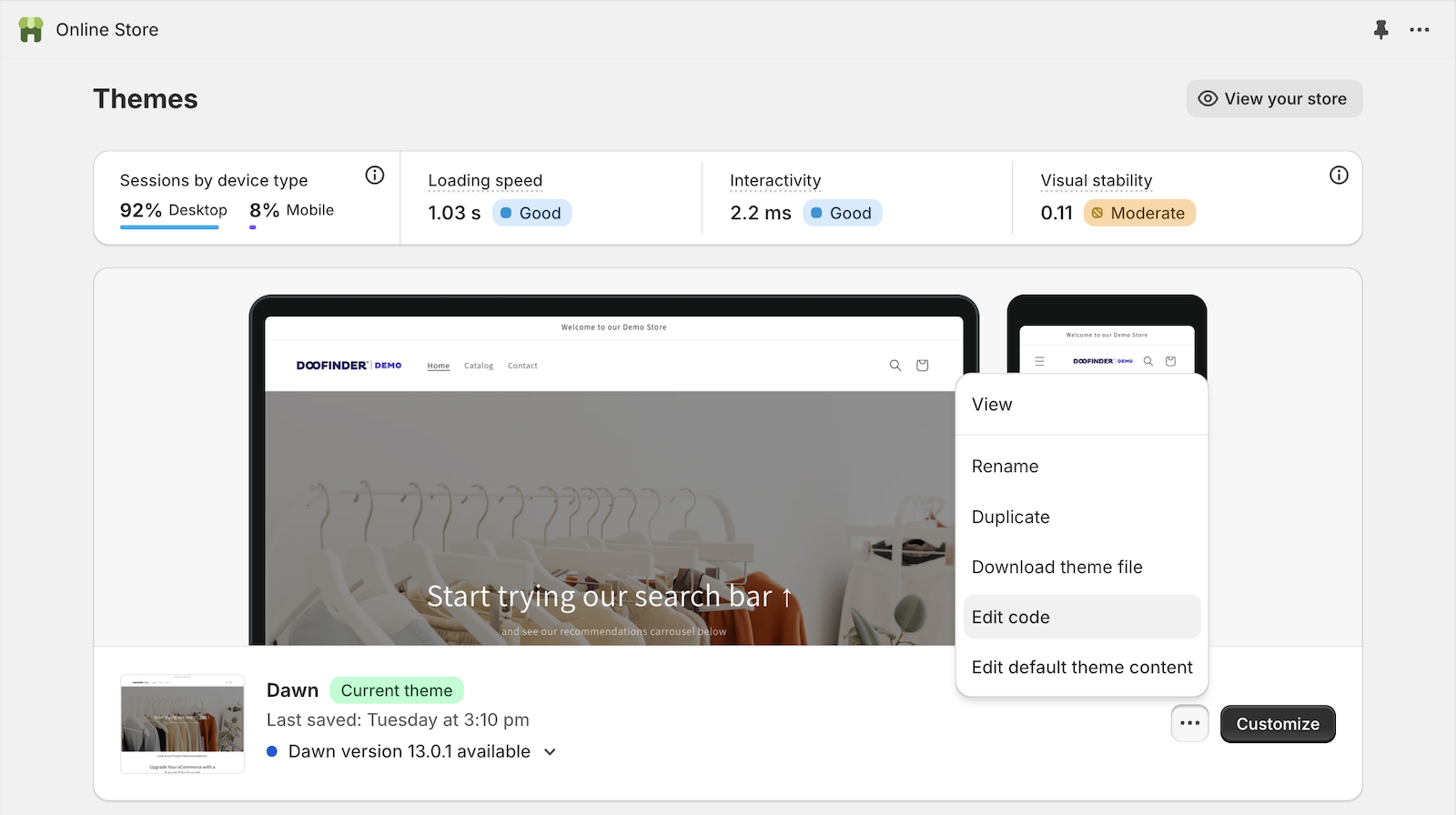
This step may be a little different depending on the theme selected.