


For a search engine, the layer is simply the user interface with your machine. It is in the layer where all the data of an online store is merged and the information is displayed quickly and accurately to the user.
Doofinder's Live Layer enhances your eCommerce with popular searches and recommended products. It has an attractive and customizable design, which will help shorten the buying process of your customers, guaranteeing them a unique experience.
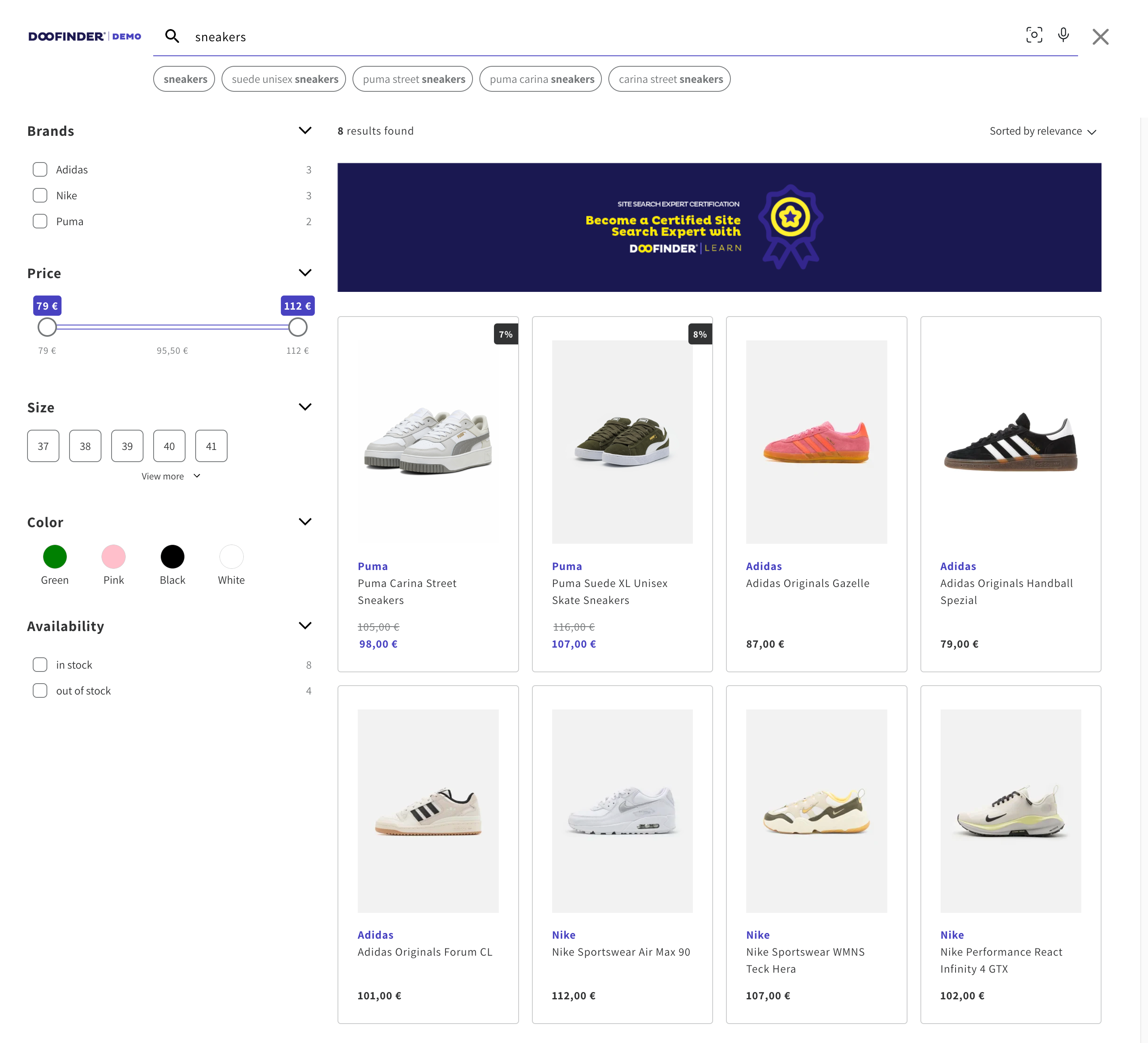
With Doofinder's search layer you can enjoy features such as:
- Popular searches: Make life easier for your customers by showing the most clicked searches.
- Recommended Products: Display the most clicked products to your customers before starting the search.
- Search suggestions: Based on your product catalog and learning, suggest searches as your users type.
- Speed: Provides better response times.
- Intelligence: Thanks to the technology provided by artificial intelligence, it shows even more relevant results.
- Voice search: Incorporates voice search on mobile and desktop for your eCommerce.
- Search More Like This: Enables users to find suitable items by displaying products that closely correspond to their search intent, enhancing recommendation quality and relevance. See more info here.
- AI Assistant: Integrate the AI chat to your layer. See more info here.
Learn how to easily create your Live layer in the Layer Settings section, and navigate all its features in Doofinder Search Features.
If your site is managed by a CMS, you can visit our Plugins section, which you will find in the top blue bar of this page.
Exploring More Possibilities
1. Search Sequence concept
The Configure your Layer doc explains the Search Sequence, the ability to define what happens on Click, Type, and Enter events, for both desktop and mobile. See more info here.
2. Layer appearance and branding options
The configure doc covers logo upload, HEX color customization (Primary, Primary contrast, Text), and product card options (availability badge, discount percentage, Add to Cart button). See more info here.
3. Filters and Sorting
4. Translations
The Translations doc explains that all user-facing text in the layer (labels, placeholders, messages, tab names for multi-index) can be translated. Translations.
5. Combining Floating + Embedded layers
The Combine Floating with Embedded Layer doc describes a specific advanced setup where a Floating layer handles the typing experience and an Embedded layer handles the full results page. See more info here.
6. Advanced customization
The Product Card Template doc explains that the HTML template for each result card can be fully customized using Handlebars syntax. The CSS Layer Customization article covers custom CSS overrides.
Only one layer can be the active search layer per store at a time.