


Start by Checking the App Permissions
Shopify updates the Doofinder app on its own, but new features can need data access your store has not granted yet. When that happens both admins warn you. The Doofinder Admin Panel shows “The Doofinder app has been updated. To continue using all features you must update data access.” under Configuration > General settings > Shopify, with an Update data access button, and your Shopify admin shows its own permission request. Grant the access in either one, then try again.
Re-enable the Doofinder Script
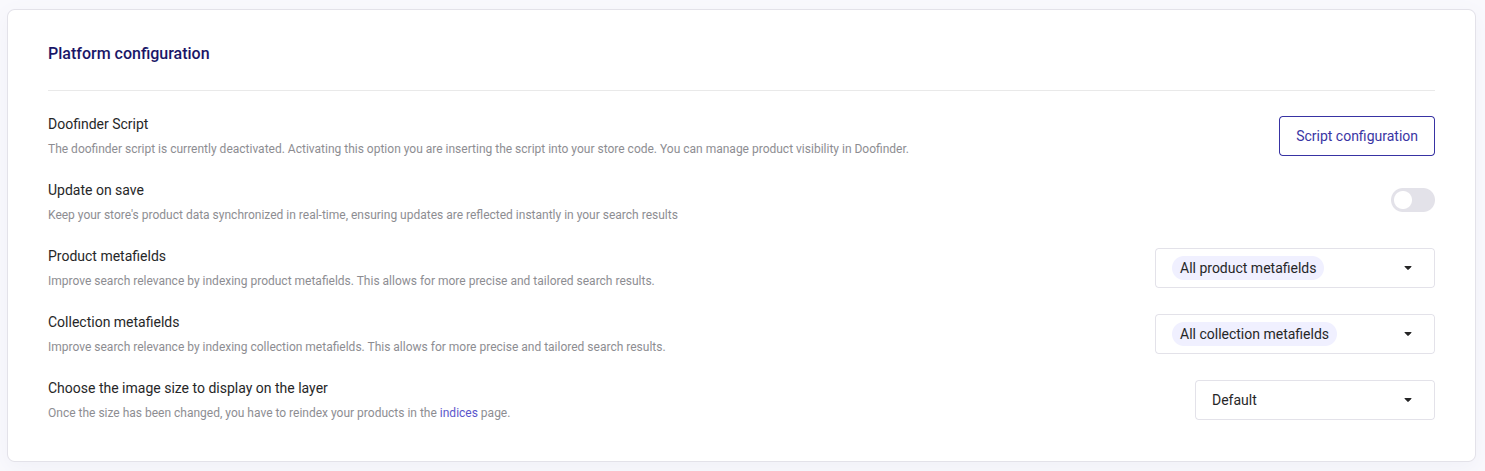
If you still cannot see the layer, disable and re-enable the Doofinder toggle. In the Doofinder Admin Panel, go to Configuration > General settings > Shopify > Platform configuration, click on Script configuration, and enable the Doofinder toggle on your theme.
If the layer still does not appear after that, it has to be looked at on our side. We will ask for your store URL and the theme you are using.